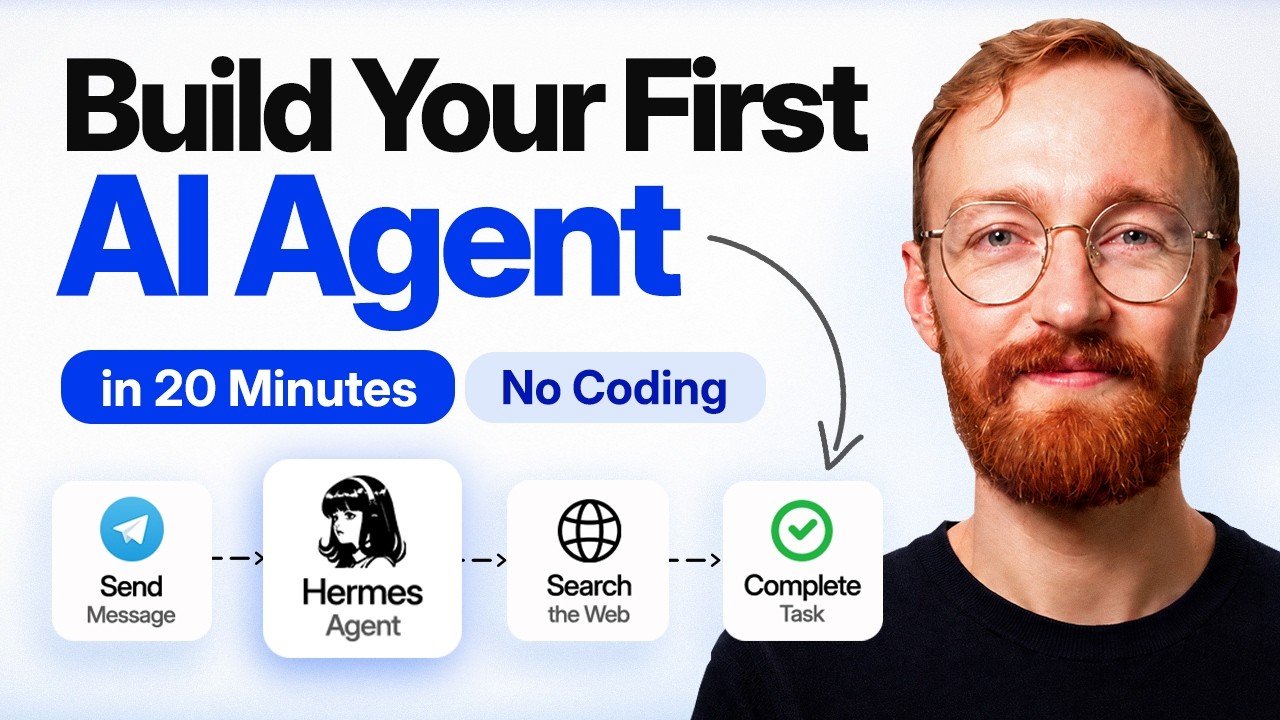
How to Build Your First 24/7 AI Agent in 20 Minutes (No Coding Required)
🏠 Get The 2026 Smart Home Compatibility Cheatsheet
Avoid ecosystem lock-in and track unadvertised Amazon coupon drops before you buy.
Most people interact with artificial intelligence as a passive chatbot: you type a prompt into ChatGPT or Claude, wait for a paragraph of text, and close the browser tab. But the AI landscape has made a massive leap toward autonomous AI agents.
An autonomous AI agent doesn’t just sit there waiting for your next command. It operates with its own built-in tools, searches the live web, executes tasks on an automated schedule, writes and stores reusable skills in memory, and alerts your smartphone directly via Telegram or WhatsApp only when critical changes happen. Best of all, you don’t need a computer science degree, Python knowledge, or any terminal experience to set one up.
In this comprehensive guide, we’ll walk you through how to deploy your own 24/7 cloud-hosted autonomous agent (using the open-source Hermes Agent) in under 20 minutes for just a few dollars a month.
Chatbot vs. Autonomous AI Agent: Key Differences
| Feature | Standard Chatbot (ChatGPT / Claude) | Self-Hosted Autonomous Agent (Hermes) |
|---|---|---|
| Operation Mode | Passive (waits for manual user prompts) | Proactive (runs 24/7 background cron jobs) |
| Model Selection | Locked into provider’s proprietary models | Swap between 200+ models (DeepSeek, Claude, Llama) |
| Messaging Interface | Isolated official apps or browser tabs | Directly via personal Telegram, WhatsApp, or Slack |
| Data Ownership & Security | Hosted on third-party multi-tenant servers | Isolated private VPS sandbox (safe from personal files) |
The 5-Step Blueprint: Deploying Your Autonomous AI Agent
Step 1: The Core Framework — Why Hermes Agent?
We use Hermes Agent, an open-source AI agent architecture created by Nous Research. Rather than paying expensive recurring SaaS subscriptions that cap your daily usage, Hermes gives you complete sovereignty:

- Bring Your Own Brain: Connect any AI model you choose. Assign fast, ultra-cheap models (like DeepSeek Flash) to handle routine web checks, while reserving heavy reasoning models for complex research.
- Continuous Skill Learning: Instead of resetting every time you start a conversation, Hermes documents successful workflows as reusable “skills”, improving with every task.
Step 2: Deploy Your 24/7 Cloud Hostinger VPS (No Terminal Needed)
Your agent needs a host machine that stays awake around the clock, isolated from your personal laptop where sensitive banking data and personal photos reside. Traditionally, configuring a Virtual Private Server (VPS) meant opening a black terminal window and executing dozens of Linux commands. With Hostinger’s 1-Click Hermes Template, everything is automated.
- Head to the Hostinger setup link and choose the entry-level KVM 1 VPS plan (delivers plenty of performance for an agent).
- Opt for a 12-month or longer billing period to lock in the lowest monthly rate and maximum discount.
- Untick any unnecessary add-ons, complete checkout, and proceed to the auto-installer.
- Save your generated admin username and secure password in a password manager, then click Deploy.
- Once Docker Manager displays a green “Running” status, click Open to access your modern Hermes web dashboard.
Step 3: Connect Inference Intelligence (Nous Portal & DeepSeek Flash)
Now that your server is online, it needs an inference engine to think. Rather than juggling dozens of disparate API billing keys, Nous Portal is integrated directly into Hermes, granting instant access to over 200 leading foundation models with built-in web search, Python execution, and file manipulation:
- In your Hermes sidebar, click Keys and hit Login next to Nous Portal to link your account in one click.
- Navigate to the Models tab and set your primary model to DeepSeek Flash.
- DeepSeek Flash provides outstanding tool-calling capabilities and runs at a fraction of a cent per request—allowing your agent to perform hundreds of automated checks without burning through credits.
Step 4: Connect to Your Phone via Telegram
You don’t want to keep a computer monitor open just to check on your agent. Linking it to Telegram turns your agent into an accessible personal assistant right inside your messaging app:
- In the Hermes web dashboard, click Channels, toggle on Telegram, and click Restart.
- Click Create with QR and scan the displayed QR code using your smartphone camera.
- Tap Connect this bot in Telegram. This automatically white-lists your personal Telegram ID so unauthorized users cannot message your agent.
- Send the command
/sethomein your new bot chat. This assigns your Telegram chat as the primary channel where Hermes delivers cron results and time-sensitive alerts.
Step 5: Assign Your Agent Its First Job (“The 24/7 Watcher”)
A high-value introductory task is a Watcher—a scheduled routine that searches the web, tracks changes, and only messages your phone when meaningful conditions are met. Simply send a prompt like this through Telegram or your web chat:
The agent will search the web, write its own verification script, save the skill, and schedule a recurring cron job. From that moment forward, your phone stays quiet until a real deal is discovered.
4 High-Value Tasks You Can Delegate to Your AI Agent
- Competitor & Price Tracker: Monitor competitor storefronts or Amazon product pricing drops and notify you when a specific discount triggers.
- Executive News Briefing: Scrape niche tech blogs, AI research repositories, or financial forums every morning at 7:00 AM and send a 3-bullet summary to your phone.
- Lead & Deal Alerts: Continuously monitor real estate listings, job boards, or freelance marketplaces for specific high-value keywords.
- Automated Research & Fact-Checking: Tell your agent to spend 45 minutes cross-referencing product specs across multiple sources and compile the findings into a clean table while you sleep.
Frequently Asked Questions
Can I run Hermes on my home PC instead of renting a VPS?
Yes, but it is not recommended for beginners. If your laptop enters sleep mode or loses Wi-Fi, all scheduled cron monitoring stops. Furthermore, giving an autonomous agent access to execute terminal commands on a personal machine carrying personal photos and banking logins presents security risks. A sandboxed VPS provides safety and guaranteed 24/7 uptime.
What is the total monthly running cost?
The infrastructure requires a minimal monthly investment: a lightweight Hostinger VPS costs roughly $4 to $6 per month, while inference costs using optimized models like DeepSeek Flash typically amount to just a few dollars per month based on actual usage.
Ready to Deploy Your First AI Assistant?
Setting up an autonomous AI agent is no longer restricted to developers. Take advantage of Hostinger’s 1-click Hermes template to get your dedicated cloud server up and running today.
Get Started on Hostinger VPS Now