How to Turn 1 Video into 10 Assets with AI (Clipto + ElevenLabs + OpusClip)
🎁 Unlock The Secret Tech Deals & Price Drop Tracker
Never overpay on gear. Get instant notifications for unadvertised flash discounts.

Creating consistent content across multiple social media platforms is exhausting if you do it manually. Most creators believe the only way to scale their presence is to spend 40 hours a week filming, editing, and writing.
What if you could flip the script?
In this guide, we will walk you through an automated AI workflow that transforms 1 single long-form video into 10 multi-platform digital assets in under 30 minutes.
The Problem: The Content Creation Bottleneck
Let’s face it: recording a 20-minute video or podcast is only 20% of the job. The real friction starts in post-production:

- Spending hours scrubbing through footage to find viral hooks.
- Rewriting video transcripts into blog posts and Twitter threads.
- Cleaning up audio and generating voiceovers for different formats.
By leveraging a modern AI-powered content engine, you can bypass the manual grind and let automation do the heavy lifting.
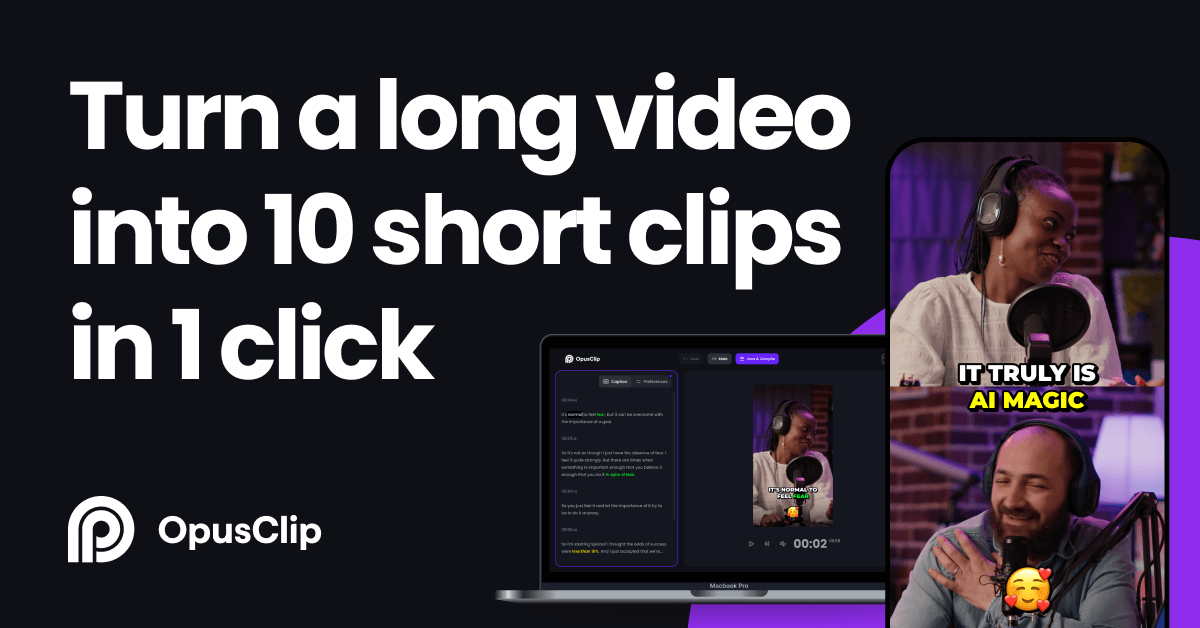
Step 1: Turn 1 Long Video into 5–8 Viral Shorts (OpusClip)
The fastest way to drive organic traffic to your website or affiliate links is through short-form video (TikTok, YouTube Shorts, Facebook Reels).
- The Tool: OpusClip (or similar AI clipping tools).
- How it works: Drop your raw, long-form video link or file into the platform. Its AI analyzes the transcript, identifies the most engaging hooks, and automatically crops the video into vertical 9:16 clips complete with dynamic captions and viral score ratings.
- The Output: 5 to 8 ready-to-post short videos designed to hook viewers in the first 3 seconds.
Step 2: Clean and Enhance Audio with AI Voice Tech (ElevenLabs)
High-end content demands crisp audio. If your raw recording has background noise or inconsistent tone, viewer retention drops instantly.
- The Tool: ElevenLabs.
- How it works: Use their AI audio models to clean up noise, enhance vocal clarity, or even generate hyper-realistic voiceovers (Text-to-Speech) for intro/outro segments or localized clips.
- The Output: Studio-quality audio tracks that make your content sound professional without an expensive microphone setup.
Step 3: Extract & Repurpose into Text Assets (Clipto.ai)
Once your video is live, don’t let that valuable knowledge stay trapped in an audio-visual format. Search engines (like Google) love text, and readers love scanning key takeaways.
- The Tool: Clipto.ai.
- How it works: Feed your video transcript into Clipto to automatically transcribe, summarize, and restructure the dialogue into structured blog posts, social media text threads, or newsletter editions.
- The Output: 1 comprehensive SEO-optimized blog post for your website + multiple text snippets for social updates.
The Result: 1 Video = 10 Content Assets
By running a single recording through this 30-minute automated pipeline, you instantly generate:
- 6x Viral Short-Form Videos (TikTok / Reels / Shorts)
- 1x Full SEO-Optimized Blog Post (for your website)
- 2x Social Media Text Threads (X / LinkedIn)
- 1x Clean Studio Audio / Podcast Clip
Manual Work vs. AI Content Engine
| Metric | Traditional Workflow | AI-Powered Workflow |
| Time Spent | 15–20 hours / week | 30 minutes / video |
| Output Volume | 1–2 platforms | 5+ platforms simultaneously |
| Burnout Risk | High | Low |
🚀 Want the Exact Step-by-Step SOP & Prompts?
Stop wasting hours trying to piece together your workflow manually. We’ve packaged our complete blueprint into a comprehensive guide.
Get instant access to the 10-Page AI Content Engine & Prompts blueprint right now:
👉Click Here to Download the Free Guide & Templates (Or use the quick signup form below!)