How to Turn 1 Long Video into 5 Viral Short Clips in Minutes with Opus Clip
🏠 Get The 2026 Smart Home Compatibility Cheatsheet
Avoid ecosystem lock-in and track unadvertised Amazon coupon drops before you buy.
How to Turn 1 Long Video into 5 Viral Short Clips in Minutes with Opus Clip
Stop wasting hours slicing timelines. Learn how Opus Clip uses AI to automatically extract viral moments, format 9:16 vertical video, and add dynamic captions in minutes.
Creating high-quality long-form video—whether it is a podcast, a technical tutorial, a webinar, or a deep-dive interview—demands substantial creative energy.
However, in today’s attention economy, simply publishing a 20-minute video on YouTube and hoping for traffic is no longer a viable distribution strategy. The platforms driving exponential organic discovery right now are YouTube Shorts, Facebook Reels, and TikTok.
To reach those audiences, you must repurpose your long-form footage into short-form vertical assets.

The traditional problem? Manual video repurposing is exhausting.
- Scrubbing through a 45-minute timeline to find 30-second moments with strong hooks.
- Cropping wide 16:9 widescreen video into vertical 9:16 aspect ratios while constantly panning to keep the speaker centered.
- Transcribing audio manually and styling dynamic captions word-by-word.
- Exporting, rendering, and repeating the process 5 to 10 times per long video.
What used to take an entire afternoon can now be handled automatically in under 5 minutes with Opus Clip.
What Is Opus Clip?
Opus Clip is a generative AI video repurposing platform designed specifically for video podcasters, digital educators, and content marketers.
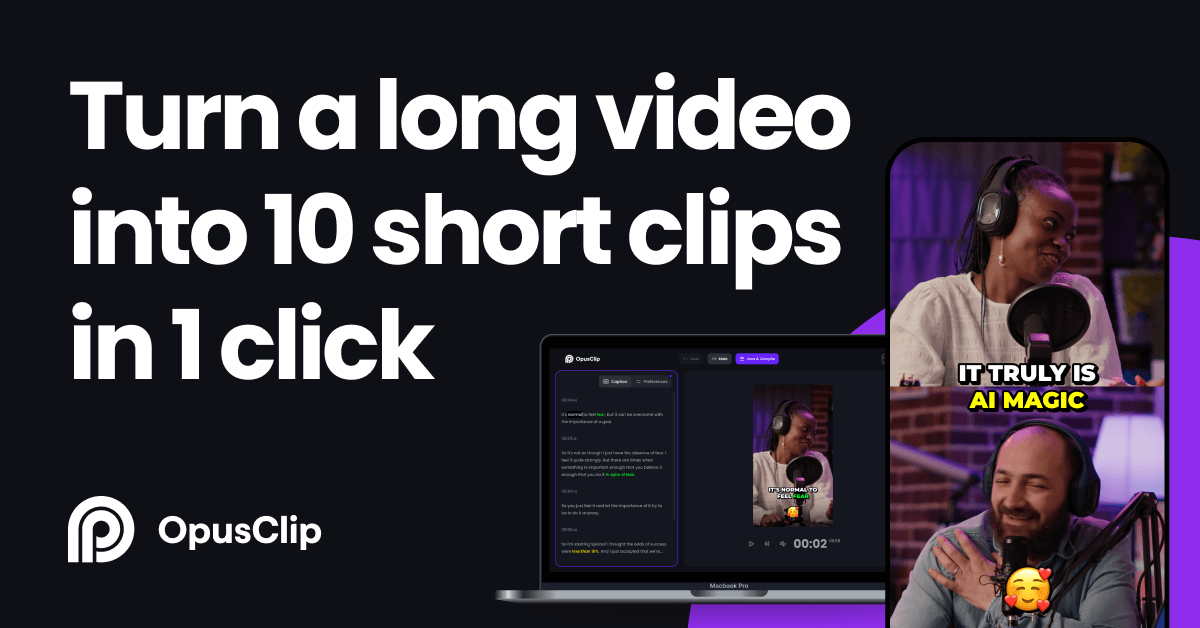
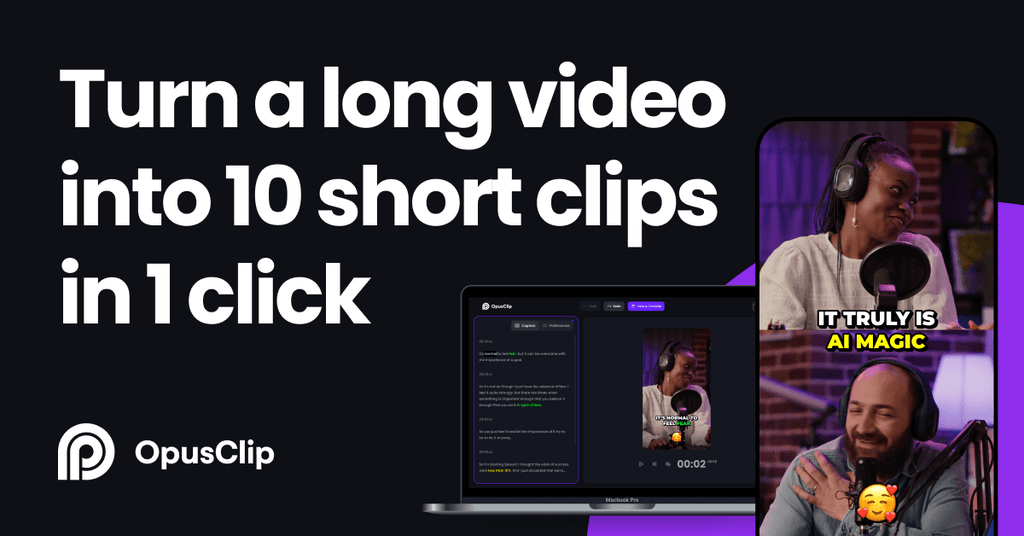
Instead of requiring you to manually edit timelines, Opus Clip ingests your long video, analyzes the conversational context, detects the most compelling narrative hooks, and automatically generates multiple ready-to-publish short clips.
👉 Try Opus Clip for Free Here (Get free credits to repurpose your first videos)
4 Core Features That Make Opus Clip Essential for Creators
1. AI Viral Score™ (Curated Hook Detection)
Rather than cutting clips at random intervals, Opus Clip analyzes the pacing, sentiment, and emotional spikes of your speech. It assigns each generated clip an AI Virality Score (0–99), predicting which snippets have the highest likelihood of retaining viewer attention across social algorithms.
2. Smart 9:16 Speaker Tracking & Auto-Reframing
When converting horizontal video (16:9) to vertical format (9:16), traditional cropping often cuts speakers out of frame. Opus Clip’s face-detection algorithms automatically keep the active speaker centered—even during multi-person interviews or split-screen conversations.
3. Animated Dynamic Captions with Keyword Highlights
Over 75% of short-form videos on mobile are watched with sound muted. Opus Clip automatically transcribes speech with industry-standard accuracy and applies animated, karaoke-style subtitles that highlight key trigger words with custom brand colors.
4. Built-in B-Roll & Visual Hook Enhancements
To prevent viewer drop-off within the critical first 3 seconds, the platform can automatically overlay relevant B-roll footage and expressive emojis directly onto the video canvas.
Step-by-Step: From YouTube Link to 5 Viral Shorts
Here is the exact 4-step workflow to repurpose your content:
Step 1: Input Your Long Video Source
Log in to your Opus Clip dashboard. You can either upload a local video file (MP4, MOV) or simply paste a direct link from YouTube, Vimeo, Zoom, or Google Drive.
Step 2: Set Your Output Preferences
- Preferred Clip Length: Choose your target duration (e.g.,
< 30sfor quick hooks, or30s – 60sfor narrative storytelling). - Topic Focus (Optional): Enter specific keywords if you want the AI to extract moments centered on a particular theme.
Step 3: Review and Fine-Tune
Within 3 to 5 minutes, Opus Clip presents a dashboard of extracted clips ranked by Virality Score.
- Click on each clip to preview the auto-reframing.
- Make quick text adjustments in the auto-generated caption editor if a technical term needs tweaking.
- Switch between Single-Speaker, Split-Screen, or Screen-Share view modes with one click.
Step 4: Export and Schedule
Download the vertical clips in 1080p HD. You can now distribute them directly to YouTube Shorts, Facebook Reels, TikTok, and Pinterest.
3 Rules for Maximizing Organic Reach on Short-Form Platforms
- Prioritize the First 3 Seconds: Always pick the clip variation with the most abrupt, contrarian, or curiosity-inducing opening sentence.
- Respect the UI Safe Zones: Ensure your captions are positioned in the middle third of the vertical frame so they are not obscured by platform buttons, channel icons, or sound titles.
- Always Anchor Your Call to Action: At the end of the short clip, tell viewers where to get the full breakdown (e.g., “Check the link in bio for the full free blueprint”).
Ready to Multiply Your Content Output?
If you are tired of spending hours on video editing software instead of growing your brand, let AI handle the heavy lifting:
👉 Start Repurposing Video with Opus Clip for Free
🎁 Free Resource: The 1-to-10 AI Content Engine (10-Page Blueprint)
Repurposing clips with Opus Clip is just one component of a complete automated distribution engine.
Want to discover how we combine Clipto, ElevenLabs, and Opus Clip to turn a single raw recording into 10 multi-platform assets (articles, newsletters, audio guides, and social clips) in under 30 minutes?
- Full step-by-step SOP & automation layout
- Copy-paste prompt templates for instant execution
- 100% free, mobile-optimized PDF guide
👉 Download the Free 1-to-10 AI Content Engine Blueprint :::